Offers & Gift Cards
Explore exclusive deals and purchase discounted gift cards directly through the PerksPe app. The Offers tab gives you access to special corporate pricing at partner brands.
Purchasing Gift Cards
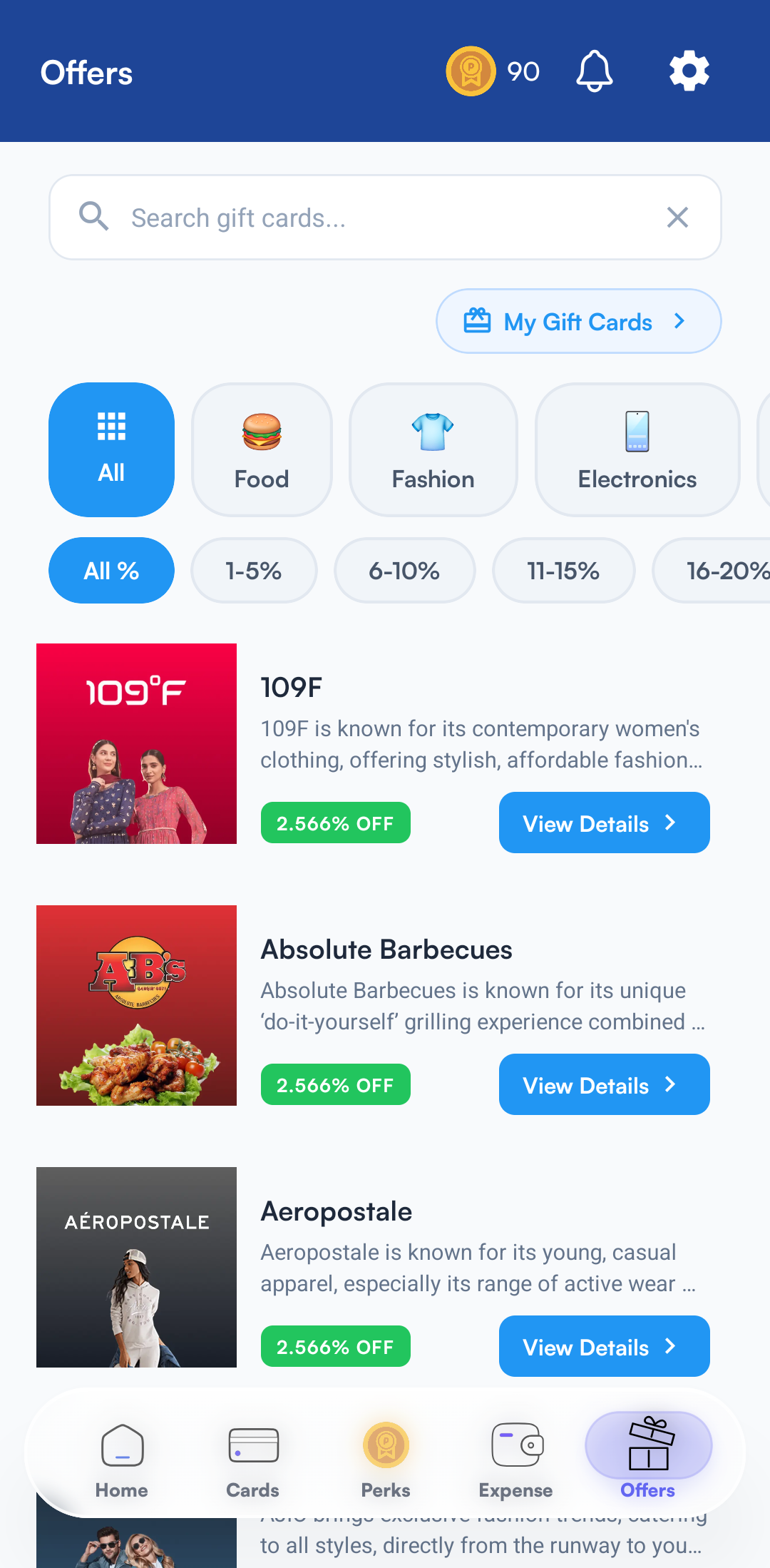
You can buy digital gift cards for top brands across various categories (e.g., Food, Fashion, Electronics) at exclusive corporate rates.
- Navigate to the Offers tab in the bottom menu.
- Browse categories or filter by the discount percentage to find what you need.
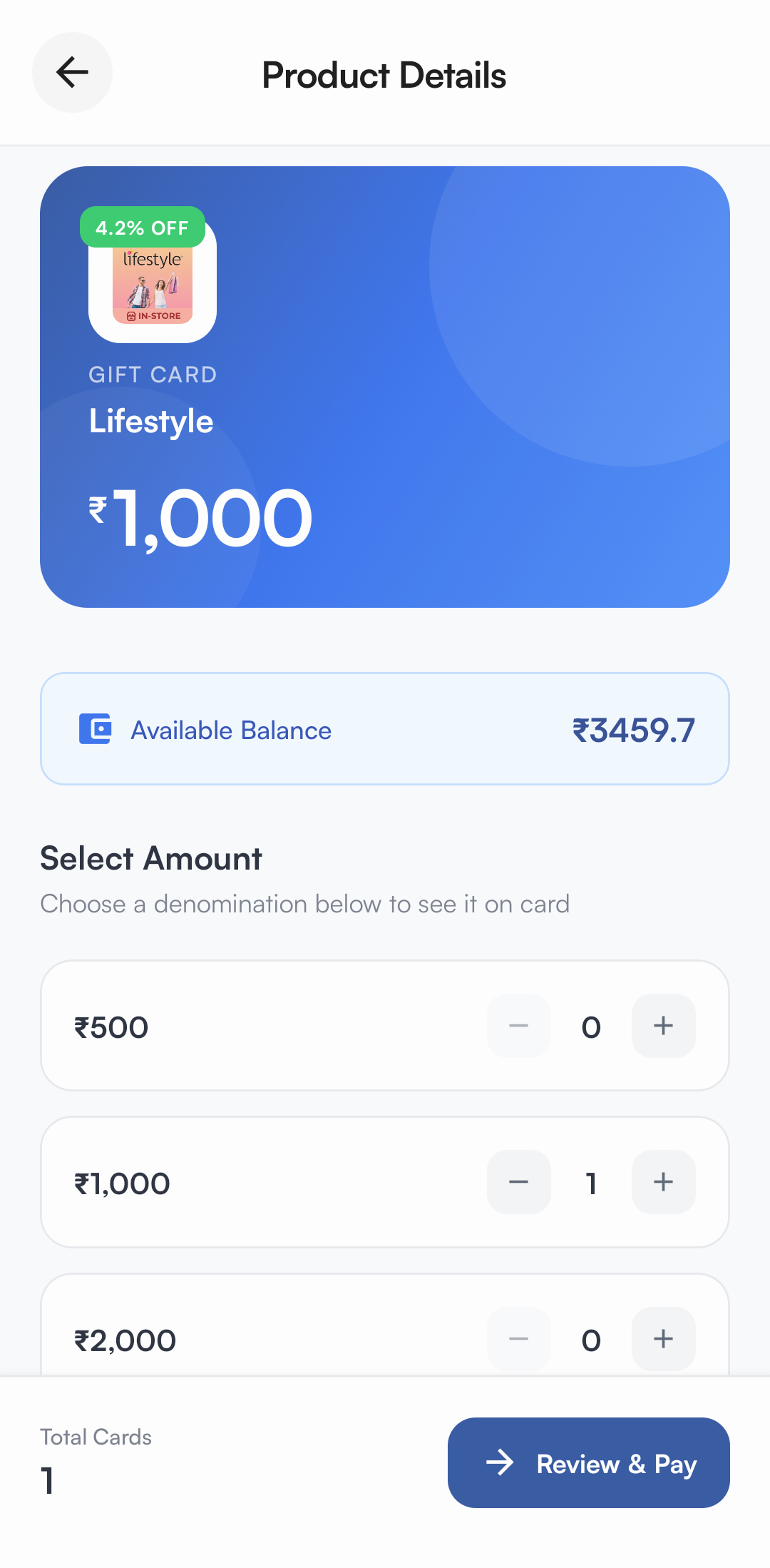
- Select a brand (e.g., Lifestyle) to view the available card denominations.
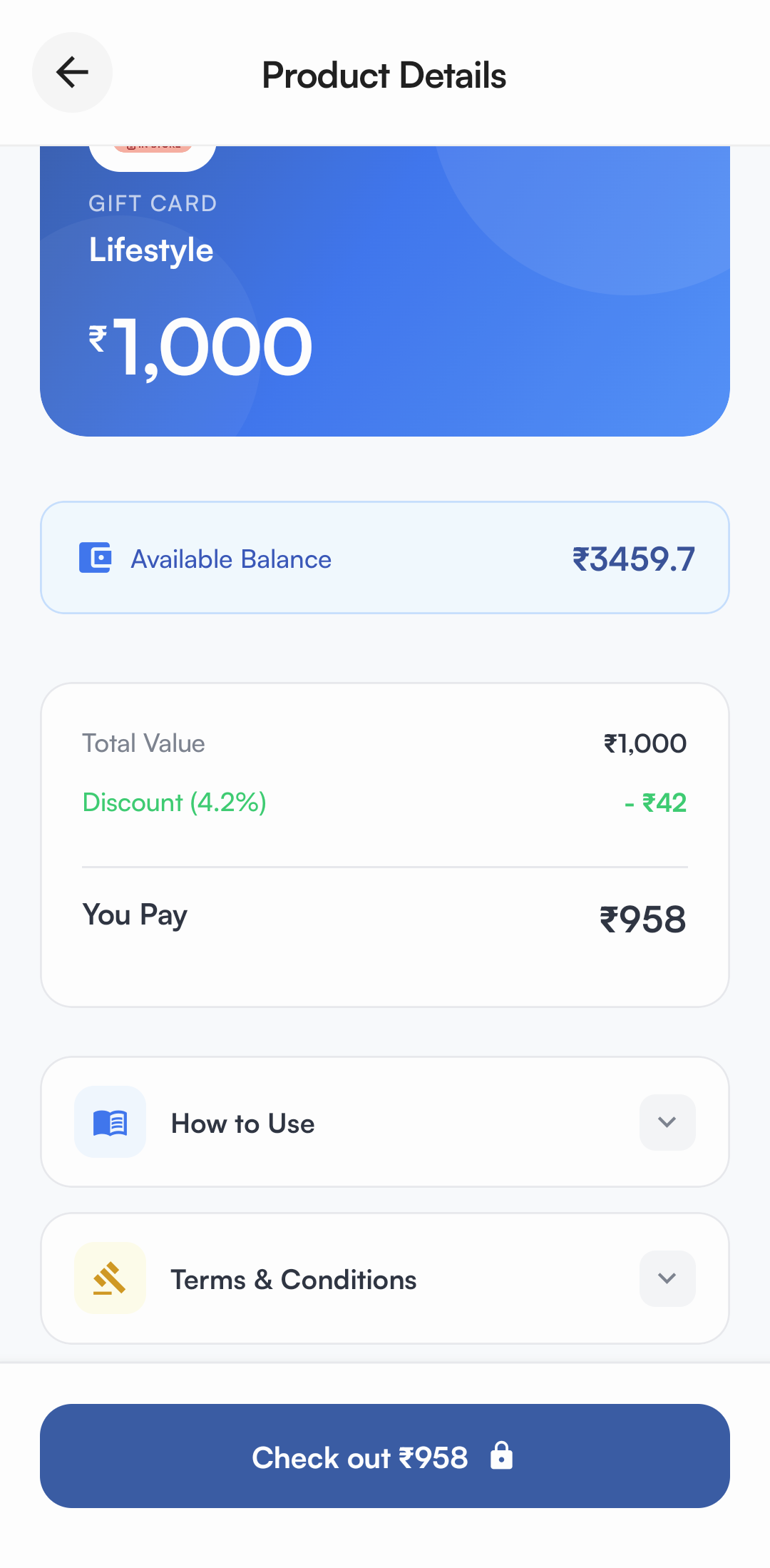
- Choose the desired amount and view your final price after the discount is automatically applied.
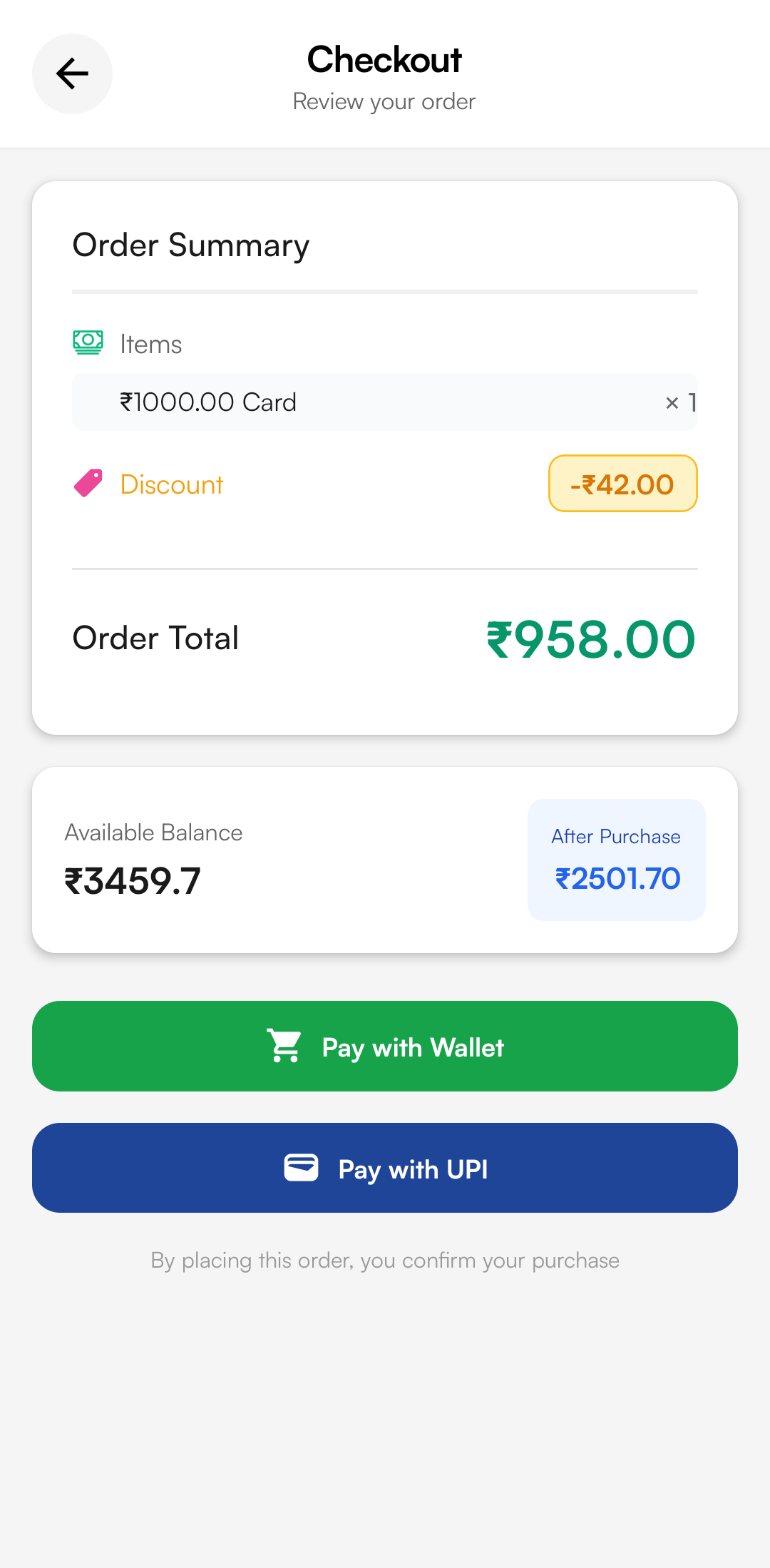
- Tap Check out and securely complete your purchase using your PerksPe Wallet or UPI.
My Gift Cards
All your purchased gift cards are available in the My Gift Cards section, where you can view their status and access redemption details.
🎁
Purchased Cards
View all successfully purchased gift cards in one place.
📌
Card Details
Open a gift card to view its card number, PIN, and other redemption details required by the respective brand.
⚠️
Failed Purchases
View failed transactions along with their reference numbers for tracking and support purposes.
What You Can Do
- View all purchased and failed gift card transactions.
- Access the card number and PIN required to redeem eligible gift cards.
- Use the reference number when contacting support regarding a failed purchase or transaction discrepancy.
- Redeem the gift card on the respective brand's website, app, or store as per the brand's redemption instructions.